Showing posts with label Windows Mobile Games. Show all posts

Tuesday, April 17, 2007

Farkle Dice Upgrade for Windows Mobile – Same Game, but New Experience!

Many of you own the very cool Windows Mobile Treo 700w, 700wx, or 750 and have asked us to make Farkle Dice available for it. We have! Plus we've added several great new features for all Windows Mobile devices running 2003 or greater.
The FREE upgrade includes:
- Treo line support
- Two more computer players to match wits with
- Improved volume control
- Customized gameplay - you control the dice speed
- Improved phone control (game mutes on incoming calls)
- Updated compatibility and stability for OS 5 (yet still fully compatible with Windows Mobile 2003)

Friday, April 06, 2007

Review: Murray from Palm-Mac Plays Word Monaco

Murray Alexander of Palm-Mac reviews Word Monaco Solitaire for Windows Mobile.


Palm-Mac is an award winning BLOG known for it reviews of mobile technology.


Word Monaco
Thanks to Todd Sherman at Smart Box Design for letting me try out a couple of games. The first one I had a go at is Word Monaco for WM5. This is card game of sorts, similar to Solitaire, with a huge twist...you are trying to make words with the cards as you would with Scrabble. So, the best way to describe it would be to call it Scrabitaire...that's a direct cross between Scrabble and Solitaire.

I have to own up here. I have always loved card games and therefore I am going to be somewhat biased. I just feel they lend themselves ideally to the smaller screen format of our pda's and smartphones. This game is no exception.

There are three different skill levels. The easy one is a good start to break you in gently as it includes 2 random jokers that can be used as any letter. To win you have to make words in all columns and have no unturned cards left. When you have made a word a small green diamond appears at the top of the column to signify success. You can move whole words or letters to other columns to make words in that one or to enable a new card to be turned over. Letters can be placed without an actual word being formed as long as the letters might lead to a word....so for example, you could leave SH on a column but not TT. Sounds easy? It is pretty straight forward on easy level but once you move up to medium and hard things become much harder.


This is the sort of game that you start off thinking, I'll just have a quick 5 minutes and then 45 minutes later you're still playing away. It demands a bit of concentration and use of the old grey matter. There are no time limits and you can come back to the game later on...these are features I always like to see as I hate games where there is some sort of timer involved. Basically, you can play at your own pace which suits me down to the ground.

There are three different versions of the game with slightly different aims but the basic premise is the same. It's easy to pick up, the graphics are crisp and there are useful "tips" throughout the game.


If you are looking for a nicely paced game where you need a bit of the old grey matter then Word Monaco should be given a run out.


You can try Word Monaco Solitaire here: http://www.smartboxdesign.com/wordmonacoppc.html

Tuesday, April 03, 2007

Review: Bubble Girl Pops WordPop and Farkle Dice

WORDPOP

Word Pop is a delightful twist on the popular game, Boggle. Your goal is to make words of 2 or more letters from adjacent letters still, but as you make them, the tiles disappear. The goal of each level is to remove all the letters, leaving a clear board for the next round. If you get stuck with letters unable to be made into words, it's game over. Valid words cannot be abbreviations, hyphened words, acronyms, contractions or pronouns. Acceptable words will change to bold text in the entry bar. At the same time, green tick will become highlighted and the chime sound as you select tiles will raise in pitch. Click the green tick to enter the word you've made and remove the tiles involved.

...however, that isn't all there is to it. They have added another twist of bonus tiles. Large word scores and game difficulty level will determine how many you earn. Each tile is scored similar to Scrabble, each adding up into a score. If the score is high enough (40+ points in easy mode, 50+ in Medium, or 60+ in hard) you will receive a bonus tile, which could be another letter or a wildcard tile. If you have more than three, a letter tile will be changed to a wildcard. If you have tiles left, they will carry over to the next level.

What if you're still stuck? Rotate it! The board will rotate, allowing you more options with your tiles. Press the round arrow button and watch your letters change places.

What I love most about this game is the separate scoreboard for highest ever word scores. You still have an Easy, Medium and Hard scoreboard, but you can also keep your best word creations in check too.

This has become my new word game obsession!


---------------------------------------


FARKLE


Do you feel lucky?

Farkle is a developed style of Yahtzee, based more on luck and choice. 2-6 players (computer or human) roll six dice in the hope of rolling certain number combinations. However, in this game, you are aiming to earn the most points.

Possible point-scoring combinations are:

1 x 5s = 50
1 x 6s = 100
3x2s=200

3x3s=300
3x4s=400
3x5s=500
3x6s=600
3x1s=1000
3 pairs = 500

Straight (all 6 dice) = 100

Farkle earns a new category of its own, as you can choose to keep the score you have and pass, or continue rolling. Once all 6 dice are used, you can choose to try your luck again and roll your six dice again. The trick is to stop before you roll without earning points. Failing to score means your turn is over and any score you have banked up disappears -- called getting Farkle. As the entire object of the game is to earn 10,000 points before the other players, you want to play on as much as possible, but you do not want to Farkle either. If you get 3 Farkles in consecutive shots, you lose 1,000 points. Strategy is very much part of this game, also. Consider using just a 5 or 1 in a roll to leave better odds for the next.

Once a player has reached over 10,000 (or 5,000 depending on game selections) they have finished the game. Other players now have one chance to score higher. If they do, they win the game.

Farkle has been kept simple in graphics and sounds, but to great benefit. The game remains the focus, allowing players to concentrate on the action and strategies.

The board is well set out, with a large scoreboard to place score and Farkle count in a well-spotted position. (The cute xylophone riff as music really endeared me, too.)

The controls are as thought out. Players can do all that's required with one tap on the correct dice or button. No fussing with dragging or double tapping.

Great for PDA beginners.
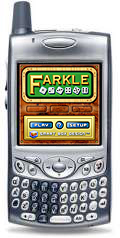
Try these games at Smart Box Design
Read more reviews by Bubble Girl at http://www.bubblegirl.net/pda.php

Monday, February 05, 2007

Break Time! Play a cool game in the warm Mediterranean


The Pocket PC version of Word Monaco has arrived to take you away. It’s our new and unique twist on the game of Solitaire by using letters instead of numbers. Whether you have a PC, Palm, Treo 650/680/700/750, or any other Windows Mobile device, we have the game for you.

In referring to word games, Allen Gall of Pocket PC Magazine says, “Word Monaco Solitaire is the most interesting title in this category that I’ve seen...”

With nine difficulty levels, settle in for whatever type of challenge you’re in the mood for. Mac users… stay tuned!

- Click here to try the Windows Mobile / Pocket PC demo
- Click here to try the Palm / Treo demo
- Click here to try the Windows XP / 98 demo

Sunday, January 21, 2007

Word Monaco Solitaire; Reviewed by Allen Gall of Pocket PC Magazine

I am getting a bit weary of reviewing word games (I love them, but there’s just not that many new things you can do with them at this point), but Word Monaco Solitaire is the most interesting title in this category that I've seen all year. The game is based on the idea of playing a word game based on solitaire at some sort of resort in Monaco (I could probably find better things to do in Monaco than play card games, but that’s the basic idea and it does give the game a nice atmosphere).

Here’s how it works: The game pieces consist of letters that are arranged in columns just like they are in solitaire, and the idea is to move them around until every letter forms a word. That’s the essence of the game, although three rule variations are offered along with nine difficulty levels.


The basic concept works well enough. Even though the number of words in each level is limited, getting all the letters into just the right spot provides a good challenge. Had the game been thrown together with limited sound and mediocre graphics, it would likely be overlooked as just another shoddy word game. What makes WM an exceptional title are not only the terrific graphics, music, but the overall feel of the game. While the graphics and sound evoke the famous French resort country and contributes to the game’s atmosphere as a casual game, WM provides plenty of feedback to the player. Once you successfully create a word, a green gem appears over that column. Dragging over a letter or group of letters results in a pleasant sound effect as well as the last “card” in the column to smoothly flip over.


Word Monaco Solitaire is not quite the same as taking a vacation, but its design and implementation meet all the requirements of a great casual game. Its visually stimulating, has great audio, has challenging but laid back game play, is very engaging, and is very easy to play. While it relies more on eye and ear candy more than other word games, it’s still good fun.


Title:
Word Monaco Solitaire
Developer: Smart Box Design
Genre: Word Games
Demo: Y
Platform: Pocket PC 2003+
Price: $14.95
Rating (of 4): 3.4

Friday, January 19, 2007

Review: Farkle. A Smart Game From a Smart Box for that Long Commute Home.

Review: Farkle. A Smart Game From a Smart Box for that Long Commute Home.

January 18th, 2007 by dgoldring

When I read that Farkle was the perfect game for a long commute, I knew I would have to review it. As some of you know, I ride the train for over an hour each way just to get to work. So, anything that is labeled perfect for a long commute, I am going to check out with interest.


Installation and Registration: Just download the Farkle setup file and install it on your Pocket PC via ActiveSync. Once installed, you can play 15 complete games before the trial period expires. Let me tell you, 15 games was more than enough time for me to explore all of the options and realize that this is a great game.

Gameplay: Simply put, Farkle is a game of chance and dice…probably not in that order. It is a combination of Yahtzee’s strategy and Craps’ chance. The object of the game is to score as many points as possible during your turn and reach 10,000 before any of your opponents (Farkle can be played by two or more players, however, 3-5 seems to be ideal).

Your turn begins by throwing six dice. Once they land, you must determine which ones earned you points. Point earning dice are ones, fives, three-of-a-kind, and any roll that combines all six dice together. Once you have identified your points scoring dice, you must decide whether to keep going or pass. If you pass, then your turn ends, and you tally your score from that round into your total score. If you want to keep going, then you roll the remaining non-scoring dice in an attempt to earn more points.

Be careful, though. If at any time, you roll a FARKLE (a roll in which you earn no points) then you lose all of the points earned that round. If you score three Farkles in three consecutive rounds, then you will lose 1000 points from your total score.

Characters: One of the great things about this game are the characters. Although they are not graphically represented (and that would be a nice feature in future versions), they each have a different style of play which is reflected in the way they play the game. When you begin a new game, by default, you will be playing against Nervous Nell (a very conservative player who fears Farkles) and Steady Stan (who gobbles up scoring dice like Pac-Man devours dots). Once you learn the basics, you can play against other characters by using the Game Setup Menu. There are a total of six characters, and you can play against any combination of them. Try to work your way up to Jammin’ Jen, the most skilled of the computer characters.

Head-to-Head: In addition to playing against the computer characters, you can also choose to play against up to five friends. Unfortunately, Farkle does not allow you to connect two Pocket PC’s together or play over a Wi-Fi/Internet connection. In order to play against your friends, you will all have to share the same unit and pass it between you. That did not present a large problem for me, however, as I typically do not play against other people.

Graphics: For a simple dice game, Farkle really impressed me with its graphics. The graphics in this game are a perfect example of the old idiom, no matter what you do, do it well. Let’s face it. This is not an adventure game, relying on the graphics to draw you in or tell a story. This is a game of chance. It is a game of rolling dice. I have seen plenty of dice games which are just the dice and a score card. That would have been easy.

Instead, Smart Box had to take the more difficult road. They included a wooden game board with a fine grain and green velvet playing surface. They even included animated dice which can be colored a translucent red or smooth white.

They did not have to do these things, add these extra touches to the graphics, but they did. And that is what makes Farkle more than just a simple dice game.

Audio: This game has some pretty realistic sound effects, such as the sound of the dice bouncing off the walls of the playing surface. The problem for me though, since I ride the train, the people around me do not care to listen to the dice bounce off the playing surface. Unfortunately, the audio in Farkle is not linked to the master audio on the Pocket PC, so it kept overriding me when I would hit mute. This can get frustrating. Thankfully, I discussed this issue with Smart Box, and they assured me that they have already fixed it, and will include better audio control in the next version which should be coming soon (that will be a free upgrade for registered users).

Saving: Since I play games on the train a lot of the time, nothing is more important to me than being able to stop the game when the train reaches my stop. I tend to get very frustrated at games which do not allow me to pick up where I left off. This is another feature that makes Farkle an ideal game for commuting, or just waiting in line at the DMV. When you need to turn it off, just close the program. The next time you open it, the game will automatically pick up exactly where you left off. No need to even remind it to save the game. It already knows what to do. Of course, if you want to change any of the game settings, then your saved game will be lost so you can start a new game with the new settings.


Customization: As I mentioned, you can pick from up to six computerized players to challenge. You can also decide which "house rules" will be followed. Some people like to play with a break-in score (you must reach a minimum score in order to earn any points in that round.) Others don’t like this rule. You can also decide the upper limit of the game. If you think playing 10,000 takes too long, set the game to end at 5,000 instead. These little options allow you to customize Farkle to your personal style of play.

Strategy and Tips: One of the things I loved about Farkle is that it teaches you the game as you go along. The rules are not that difficult. Keep rolling the dice until you stop or earn no points. It is pretty basic, but there can be some complicated strategic decisions. If I roll two scoring dice, do I keep them both or keep only one and hope for a better score with a new roll?
As you progress through the game, various strategy tips will appear which teach you how to look at your roll from all angles and fully immerse you in the game. I really appreciated these tips the first time I played the game, but once you have heard them, they quickly become unnecessary background noise. Fortunately, you can choose to turn them off in the preferences menu.

Conclusion: This is definitely my kind of game. It is quick and easy to learn, but takes some concentration to master the strategy. You can also stop the game at any time and pick up right where you left off. If this were all it offered, Farkle would be a mainstay in my stable of games. Add in the smoothly drawn graphics, six different player characters (which effectively means a variety of skill levels) and various customization options, and Farkle is a must play for anyone who enjoys a simple game of chance or, a really long train ride.

Vital Statistics:

Name: Farkle
Version: 1.0.1
Platform: WM 2003 SE
Also Available: WM5, Palm OS
Developer:
Smart Box Design
Price: $14.95

Monday, January 15, 2007

How would you improve WordPop! for Pocket PC?

Our best selling game WordPop! for Pocket PC is being updated. Below is a list of changes we plan to make. We love hearing ideas from our customers. Please send me an e-mail at support@smartboxdesign.com or post a comment to the Forum. The link is below.

- Ability to Clear High Scores / Best Words
- Add Quit to Game Menu
- Improve sound and music settings
- Display New Player Tips
- Update the word list incorporating the many suggested words e-mailed to me.
- Add Treo 700w and 750w support
- Code optimization for newer devices

I look forward to hearing from you.


Read and Post WordPop Suggestion to the Forum


Save a Dying World - Glyph by Sandlot Games

Smart Box Design is now distributing games from Sandlot Games and Astraware.

The ancients need your help to save their dying world.

Harness the powers of Wood, Fire, Water, and Metal as you explore 255 dazzling levels in 5 different worlds. Help heal the land in Quest Mode and try Action Mode for an even greater challenge.

- Enjoy hours of play with 255 custom levels in 5 unique environments
- Compare your ranking with Worldwide High Score posting
- Try different skills by Assemble the Glyphs in unique bonus levels
- Be the hero and save the world


"Glyph is a fun and easy-to-learn puzzler that's ideal for casual players in search of a relaxing time-waster." Marc Saltzman, Gamezebo Reviewer

Monday, December 04, 2006

Gaming Forum Grand Re-Opening

Our brand new engaging Gaming Forum is open and ready for your comments.

Would you like to show off your high score?

Now you can at the Game Forum!

Post your best words from WordPop!

Suggest words for Word Watch.

Swap Farkle Dice strategy tips.

Suggest new product features for Word Monaco.

Ask questions about any of our games.

Visit the tech news and rumors section for all the latest trends.


See you at the forum. Visit the Gaming Forum by clicking here.

WordPop Winning Strategies - Tip 3 of 5 - Using Bonus Tiles

Chances are, no matter how well you might plan the round, you often find yourself down to your last 3 or 4 letters but without a solution to clear the board. This is the perfect time to use a bonus tile, especially the blank bonus tile. The blank bonus tile can be used as any letter. To use it, tap on it then place it on an empty location on the board. For example you find you have the letters R, C, and H. By placing a blank tile next to the R, you can make RICH. But if you use up your bonus blank tiles too early, you may not have a way out. You can try WordPop here.